
York Web Technologies

  • Home
  • Our Blog
  • Domains
  • Hosting
  • Contact Us
  • Home
  • Our Blog
  • Clients
  • Schooner Bay Co
  • WooCommerce Order Processing
January 2, 2026

WooCommerce Order Processing

WooCommerce Order Processing

by Nick / Tuesday, 02 April 2019 / Published in Schooner Bay Co

A quick tutorial on Woocommerce order processing on schoonerbayco.com

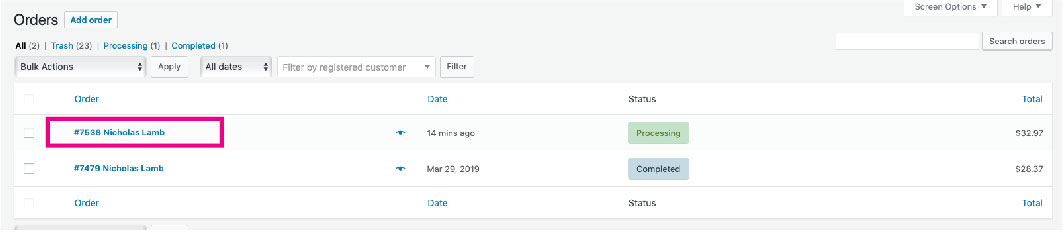
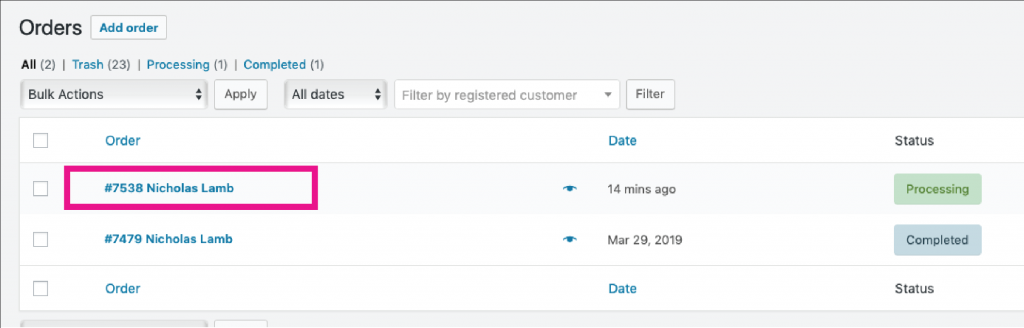
1. Go to WordPress Admin Dashboard>Woocommerce>Orders and click on the order # / name of the order you would like to complete.
2. After the order has been processed and has been packed and labeled for shipping, click Order actions drop down and change to Capture credit card authorization. (the tracking number should be emailed from the NRG Ship in FM until the solution has been connected to Woocommerce when it will be passed back to Woocommerce).
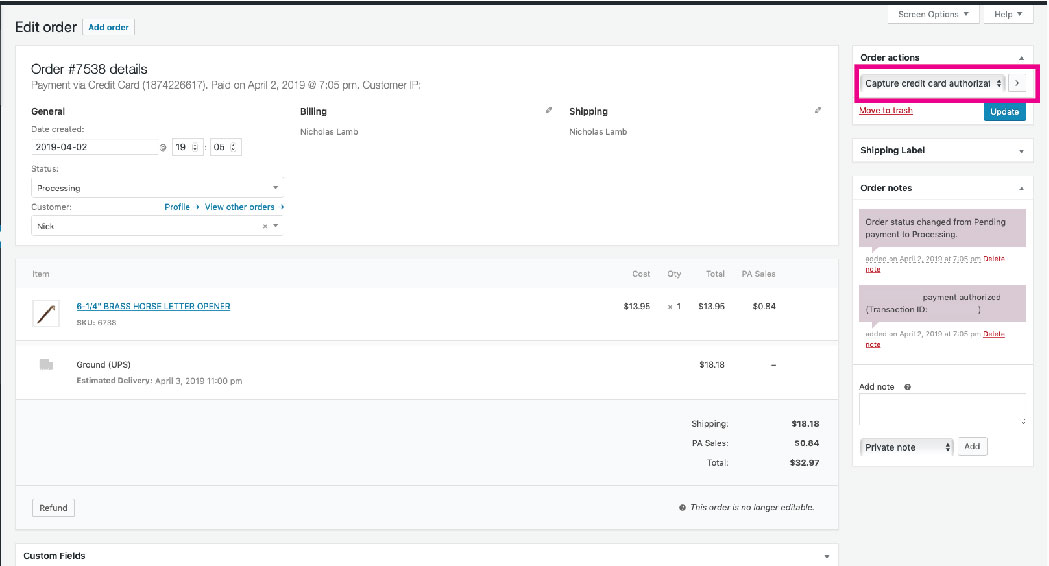
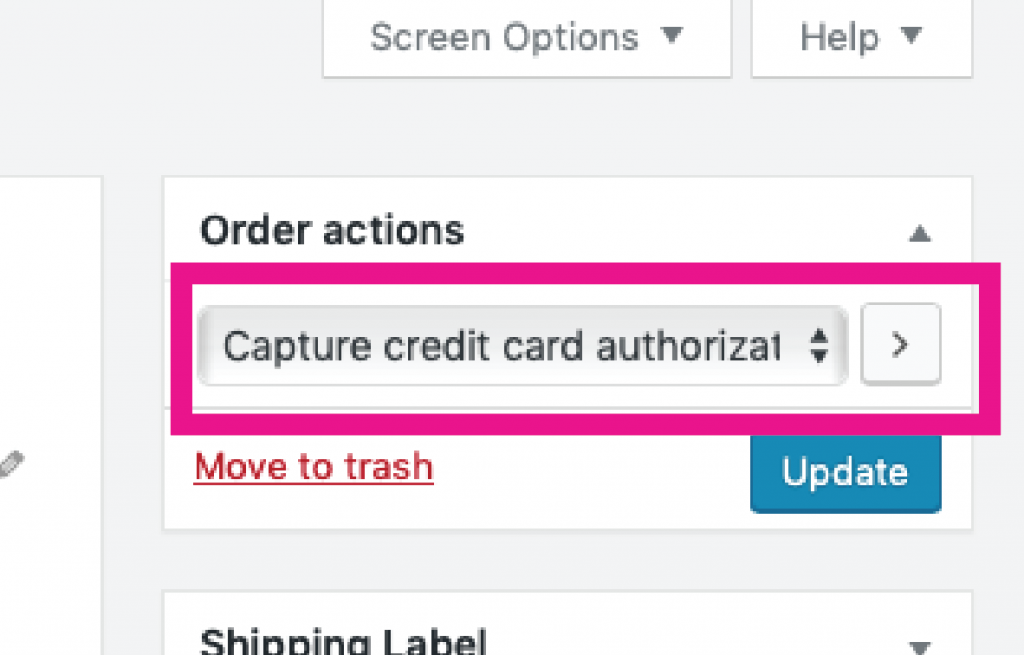
3. Click arrow beside Order actions dropdown to complete the order. Woocommerce will then automatically send the order details/invoice to the customer to complete the order. If the order status does not change from Processing to Completed, continue to the next step.

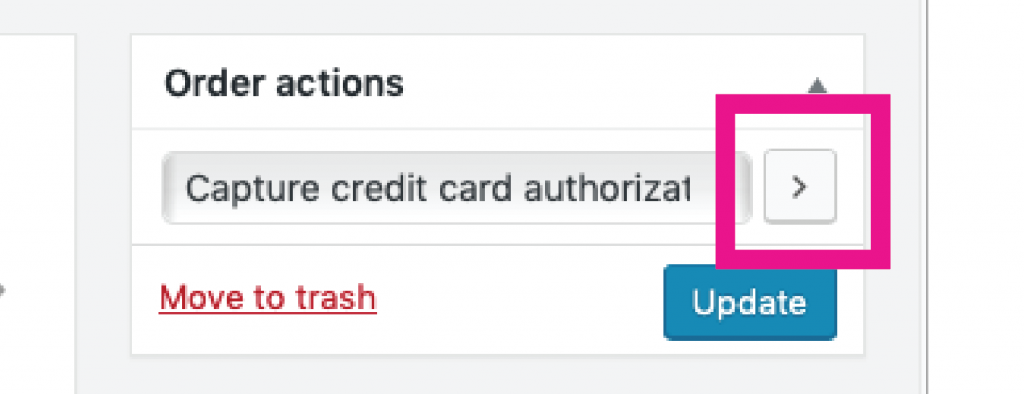
4. If the order has not changed automatically from Processing to Complete after you have captured the payment, change the order status in the dropdown menu to Completed and then click the blue Update button.

5. Sit back and enjoy a job well-done.
Tagged under: SchoonerbaySOP, Tutorial, Woocommerce

About Nick

Nicholas Lamb is the Operating Partner of York Web Technologies, LLC.

What you can read next

Adding a coupon to Woocommerce
Update or link Product Images in Woocommerce
Bulk upload Product images to Woocommerce

Our Blog

  • Clients
    • Abottstown Industries
    • All Trans TTS
    • Blasser Security
    • BnD Treasure Chest
    • GWS Scholarship Fund
    • Heavenly Landscaping
    • Hostetter Supply
    • Integrity Tech Recycling
    • Mountaintop Lighting
    • RackRoiz
    • Schooner Bay Co
    • SPG Capital
    • Spring Valley Mulch
    • Steinmetz Coins & Currency
    • Stony Run Brew House
    • Yates Consulting
    • Yorkshire Church
  • Domains for Sale
  • Jobs
  • Law and Regulatory Changes
  • Mac Tutorials
  • Uncategorized
  • YorkWebTech Services
    • GoDaddy Tutorials

Recent Posts

  • Blasser Security website screen cap

    Blasser Security

    Blasser is an independent and locally-owned sec...
  • screen cap of domain forwarding in GoDaddy

    How to transfer a domain from a non-GoDaddy registrar account to your GoDaddy account

    To transfer a domain from a non-GoDaddy registr...
  • trumpplumbingandheating.com home page screen cap

    Trump Plumbing & Heating

    We would like to welcome Trump Plumbing and Hea...
  • Google Ads Disclosure

    If we administer Google ads on your behalf, her...
  • integrity tech recycling screen cap

    Integrity Tech Recycling

    We are happy to announce the launch of integrit...

York Web Technologies, LLC

PO Box 21472
York, PA 17402
tech@yorkwebtech.com

Google Advertising Guide: Working with Third Parties

Privacy Policy

Accessibility Statement

© 2026 York Web Technologies LLC. All rights reserved.

TOP