York Web Technologies

  • Home
  • Our Blog
  • Domains
  • Hosting
  • Contact Us
  • Home
  • Our Blog
  • Clients
  • Yorkshire Church
  • Changing Covid Banner using Page Builder Smart Areas
January 2, 2026

Changing Covid Banner using Page Builder Smart Areas

Changing Covid Banner using Page Builder Smart Areas

by Nick / Monday, 02 November 2020 / Published in Yorkshire Church

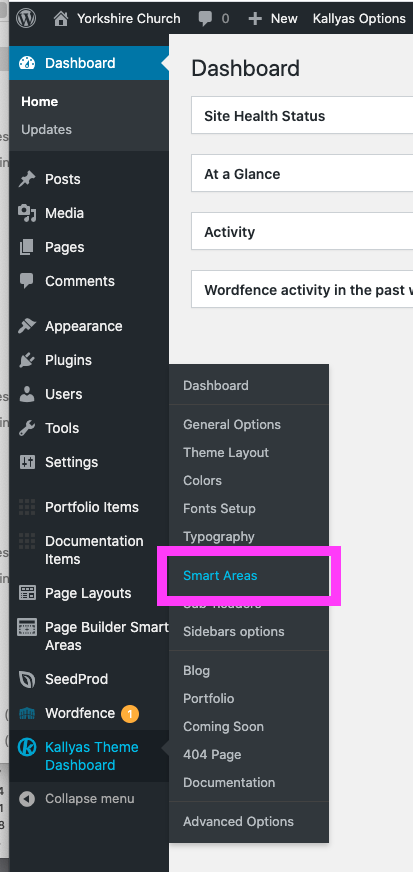
Log into the dashboard and go to Kallyas Theme Options> Smart Areas
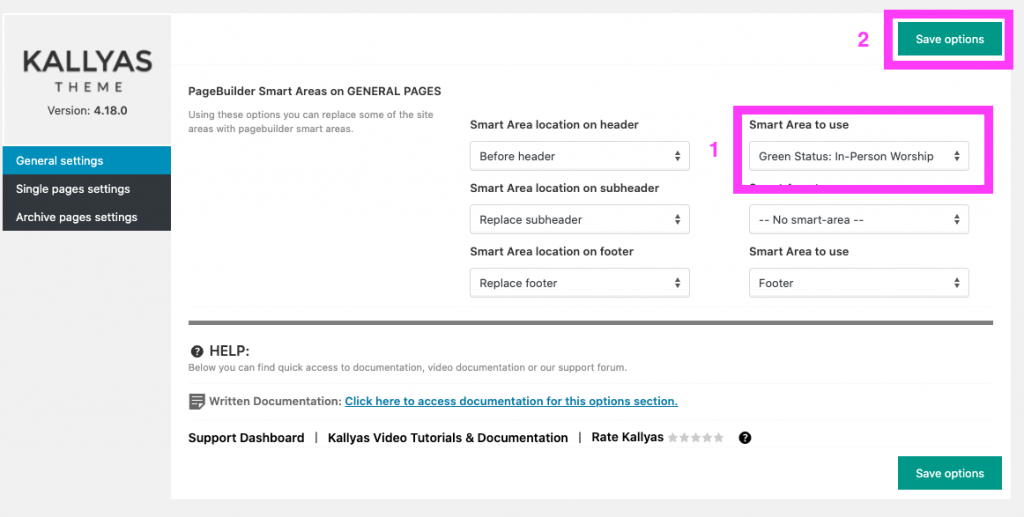
Change the first Smart Area to use to either Green or Red Status (the Smart Area location on header should already be set to “Before header”) and then click the Save options button. If you want to hid the banners completely, just change it to — No smart-area –.
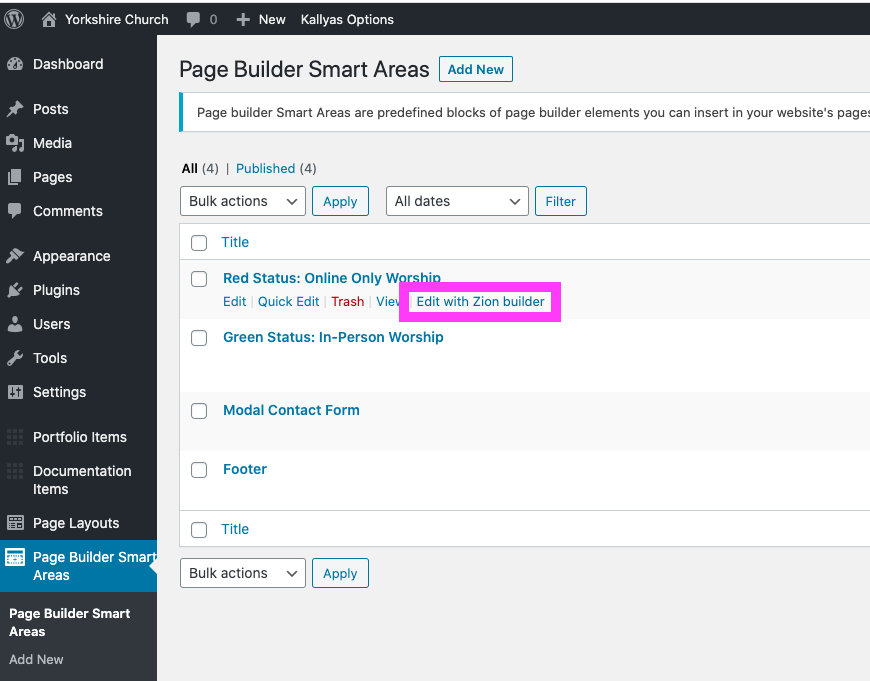
If you need to edit one of the banners, go to Page Builder Smart Areas and hover over the banner you would like to edit. Click the Edit with Zion builder link to open banner and edit in the Page Builder. In this case, we’ll edit the red banner.
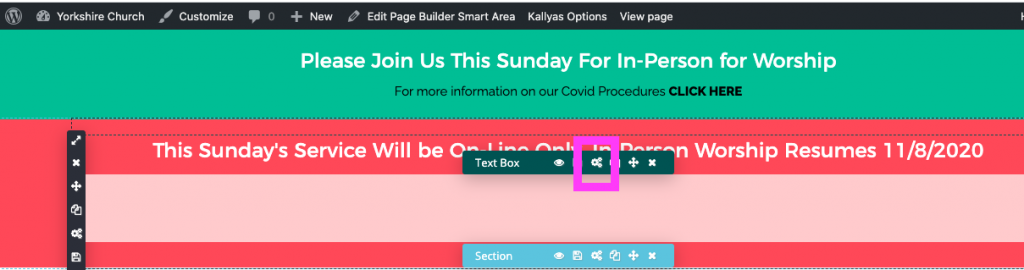
To change the text in the banner, hover over the first text box (the one below it is currently hidden) and click the gear icons to edit the text box. You will see the current live banner above the one you are editing.
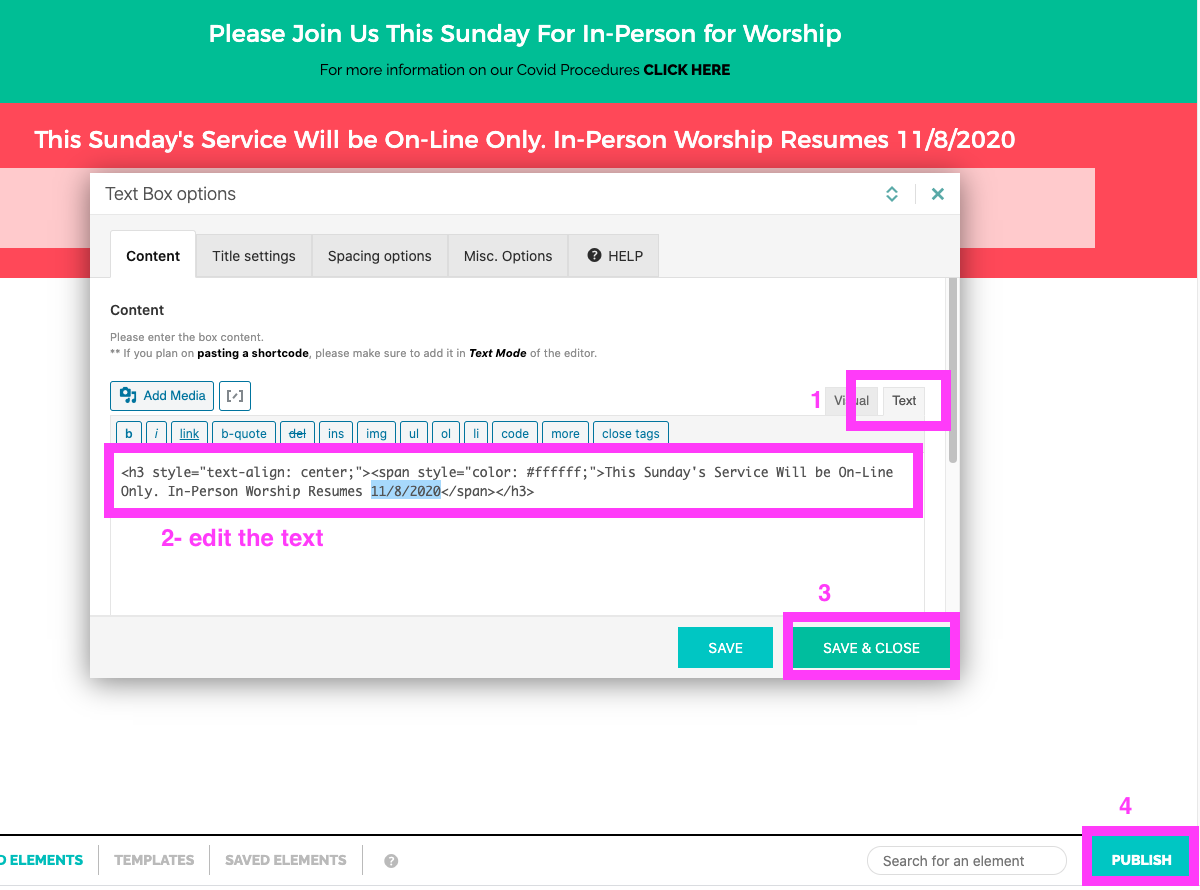
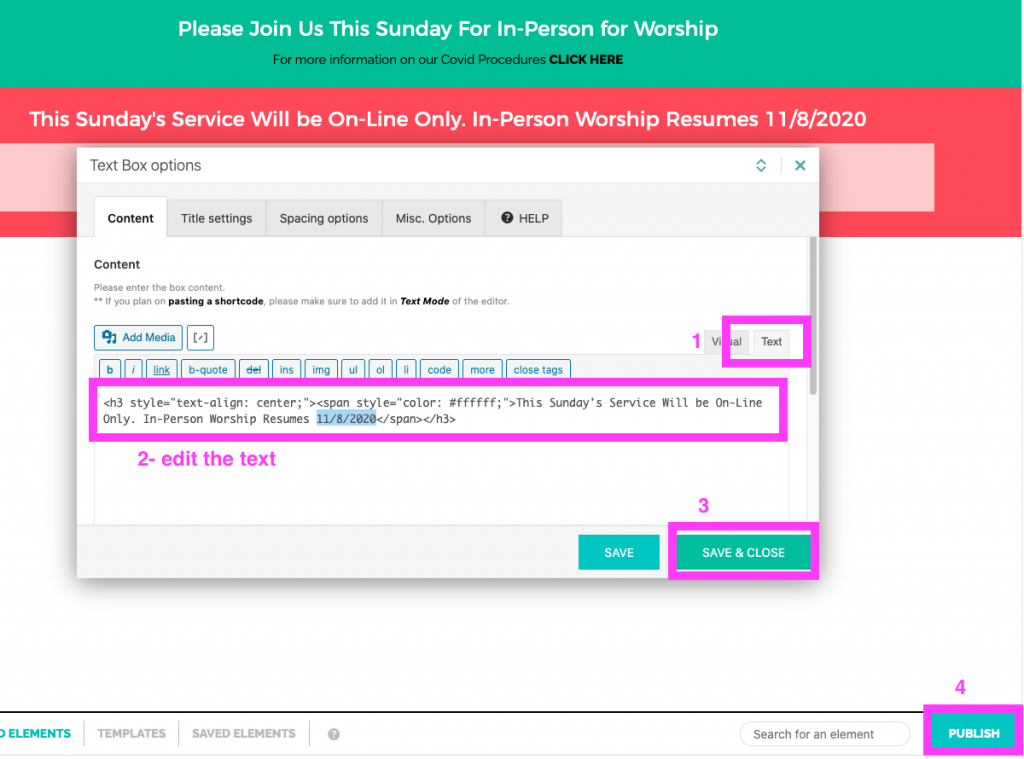
Because the text is in white and difficult to see in the Visual text editor, click the text tab (1) to make your changes (2). When your edit is finished, click the Save & CLOSE (3) button. To make the changes live on the front end, click the Publish button (4).
About Nick

Nicholas Lamb is the Operating Partner of York Web Technologies, LLC.

What you can read next

Updating Kallyas Pagebuilder Smart Area Footer and Social Media Links in Header
Adding Content via PageBuilder instead of WordPress Editor
Yorkshire Ministry Page Redesign

Our Blog

  • Clients
    • Abottstown Industries
    • All Trans TTS
    • Blasser Security
    • BnD Treasure Chest
    • GWS Scholarship Fund
    • Heavenly Landscaping
    • Hostetter Supply
    • Integrity Tech Recycling
    • Mountaintop Lighting
    • RackRoiz
    • Schooner Bay Co
    • SPG Capital
    • Spring Valley Mulch
    • Steinmetz Coins & Currency
    • Stony Run Brew House
    • Yates Consulting
    • Yorkshire Church
  • Domains for Sale
  • Jobs
  • Law and Regulatory Changes
  • Mac Tutorials
  • Uncategorized
  • YorkWebTech Services
    • GoDaddy Tutorials

Recent Posts

  • Blasser Security website screen cap

    Blasser Security

    Blasser is an independent and locally-owned sec...
  • screen cap of domain forwarding in GoDaddy

    How to transfer a domain from a non-GoDaddy registrar account to your GoDaddy account

    To transfer a domain from a non-GoDaddy registr...
  • trumpplumbingandheating.com home page screen cap

    Trump Plumbing & Heating

    We would like to welcome Trump Plumbing and Hea...
  • Google Ads Disclosure

    If we administer Google ads on your behalf, her...
  • integrity tech recycling screen cap

    Integrity Tech Recycling

    We are happy to announce the launch of integrit...

York Web Technologies, LLC

PO Box 21472
York, PA 17402
tech@yorkwebtech.com

Google Advertising Guide: Working with Third Parties

Privacy Policy

Accessibility Statement

© 2026 York Web Technologies LLC. All rights reserved.

TOP