
York Web Technologies

  • Home
  • Our Blog
  • Domains
  • Hosting
  • Contact Us
  • Home
  • Mac Tutorials
  • Archive from category "Mac Tutorials"
January 2, 2026

Category: Mac Tutorials

Create desktop application alias Mac OSX Mojave

Tuesday, 02 April 2019 by Nick
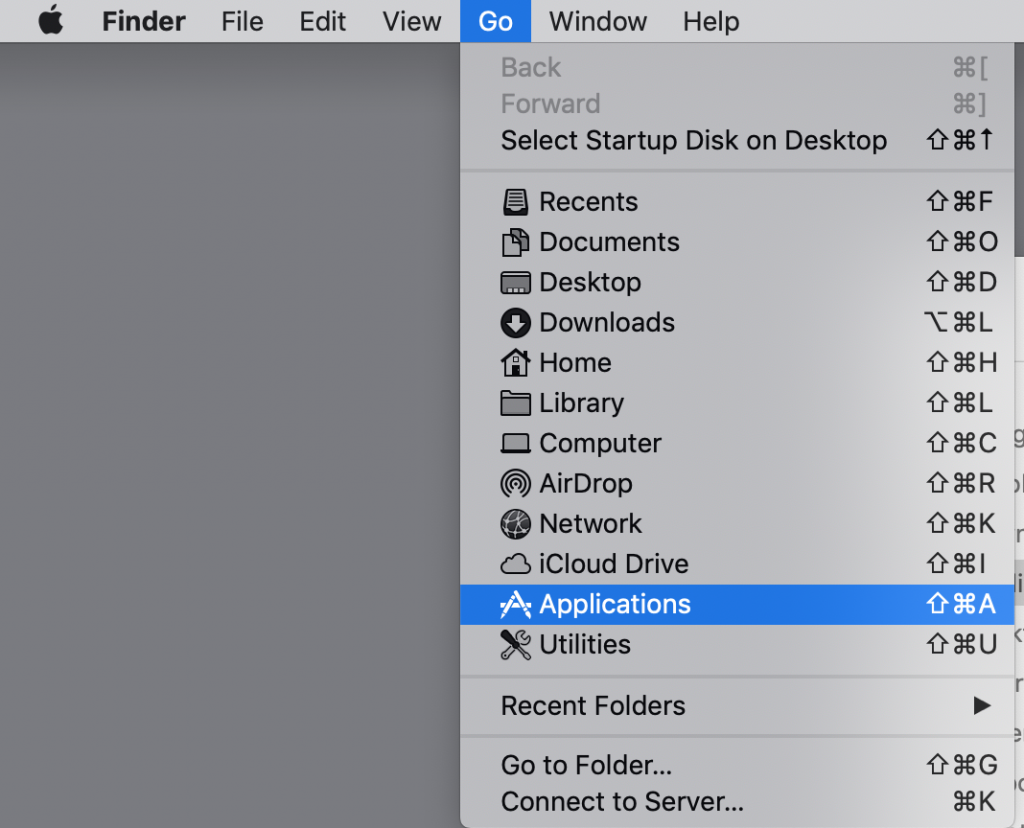
To create an alias for Safari, open you applications folder. 1. To open the folder if you don’t know how to find it, just click Go in the top menu bar and scroll down to the Applications folder. 2. In the applications folder, right click on the Safari icon. (without a mouse, hover over the
  • Published in Mac Tutorials
Tagged under: Creating alias, Lyn

Our Blog

  • Clients
    • Abottstown Industries
    • All Trans TTS
    • Blasser Security
    • BnD Treasure Chest
    • GWS Scholarship Fund
    • Heavenly Landscaping
    • Hostetter Supply
    • Integrity Tech Recycling
    • Mountaintop Lighting
    • RackRoiz
    • Schooner Bay Co
    • SPG Capital
    • Spring Valley Mulch
    • Steinmetz Coins & Currency
    • Stony Run Brew House
    • Yates Consulting
    • Yorkshire Church
  • Domains for Sale
  • Jobs
  • Law and Regulatory Changes
  • Mac Tutorials
  • Uncategorized
  • YorkWebTech Services
    • GoDaddy Tutorials

Recent Posts

  • Blasser Security website screen cap

    Blasser Security

    Blasser is an independent and locally-owned sec...
  • screen cap of domain forwarding in GoDaddy

    How to transfer a domain from a non-GoDaddy registrar account to your GoDaddy account

    To transfer a domain from a non-GoDaddy registr...
  • trumpplumbingandheating.com home page screen cap

    Trump Plumbing & Heating

    We would like to welcome Trump Plumbing and Hea...
  • Google Ads Disclosure

    If we administer Google ads on your behalf, her...
  • integrity tech recycling screen cap

    Integrity Tech Recycling

    We are happy to announce the launch of integrit...

York Web Technologies, LLC

PO Box 21472
York, PA 17402
tech@yorkwebtech.com

Google Advertising Guide: Working with Third Parties

Privacy Policy

Accessibility Statement

© 2026 York Web Technologies LLC. All rights reserved.

TOP