
To transfer a domain from a non-GoDaddy registrar account to your GoDaddy account:
- Log into your GoDaddy account.
- Go to the domain transfer section, usually by navigating to Domains and then Transfer or just follow this link: https://www.godaddy.com/domains/domain-transfer
- Enter the domain name you’re transferring and click Transfer you domain.
- Enter the authorization code you received from the current registrar (Squarespace, Turbify, Cloudflare, etc.) and provide any other required information.
- Choose any optional settings, like domain protection (probably not necessary), and complete the checkout process.
- Wait a few minutes up to 7 days for GoDaddy to send an email saying the transfer is completed.
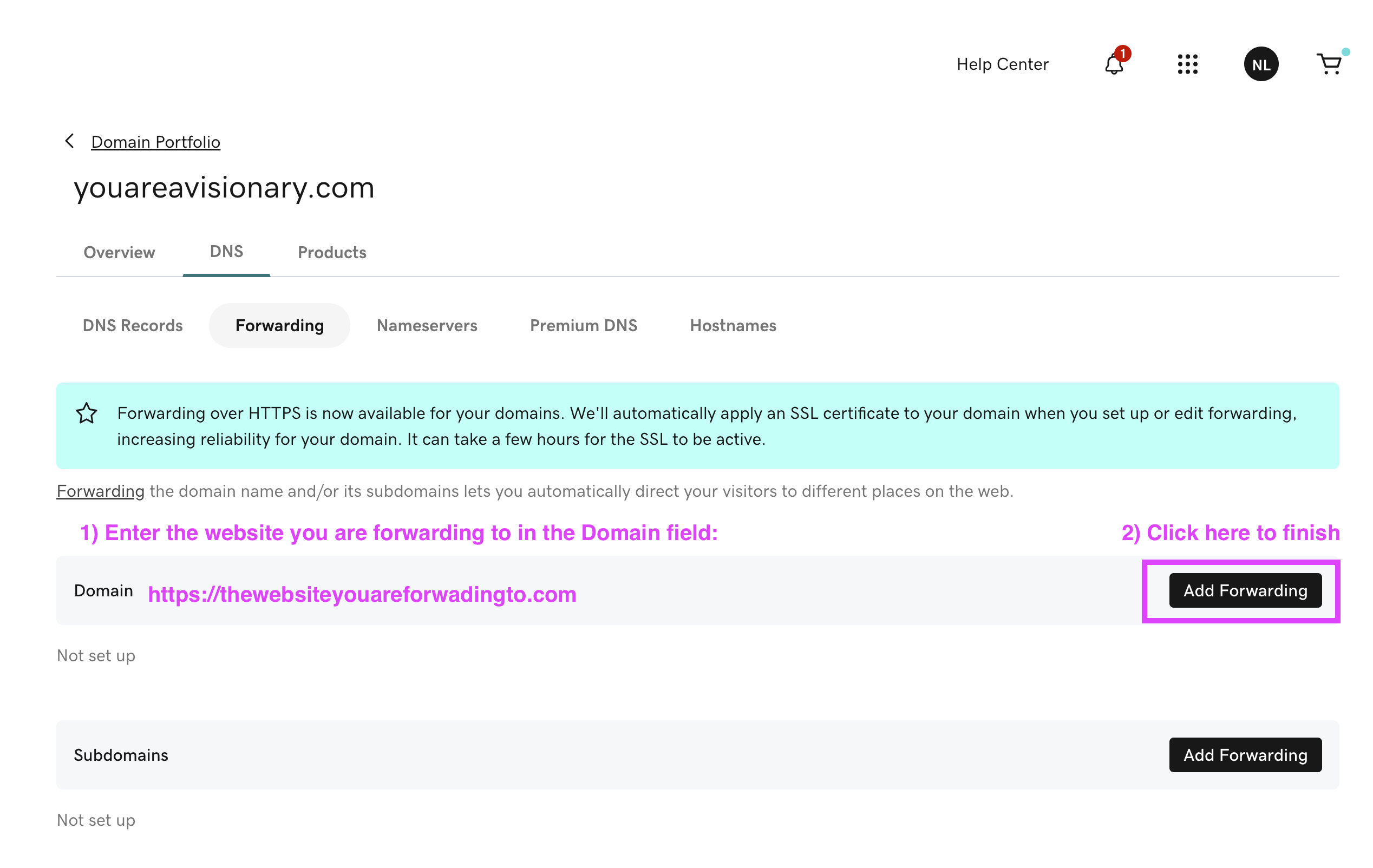
- If you want to forward the domain to an existing site– after the transfer is complete, login to GoDaddy and edit the domain DNS. Look for the forward tab and enter the website you would like to forward the domain web traffic to and then click the Add Forwarder button.